Virtual Router/VPC Package
Create Virtual Router/VPC Package
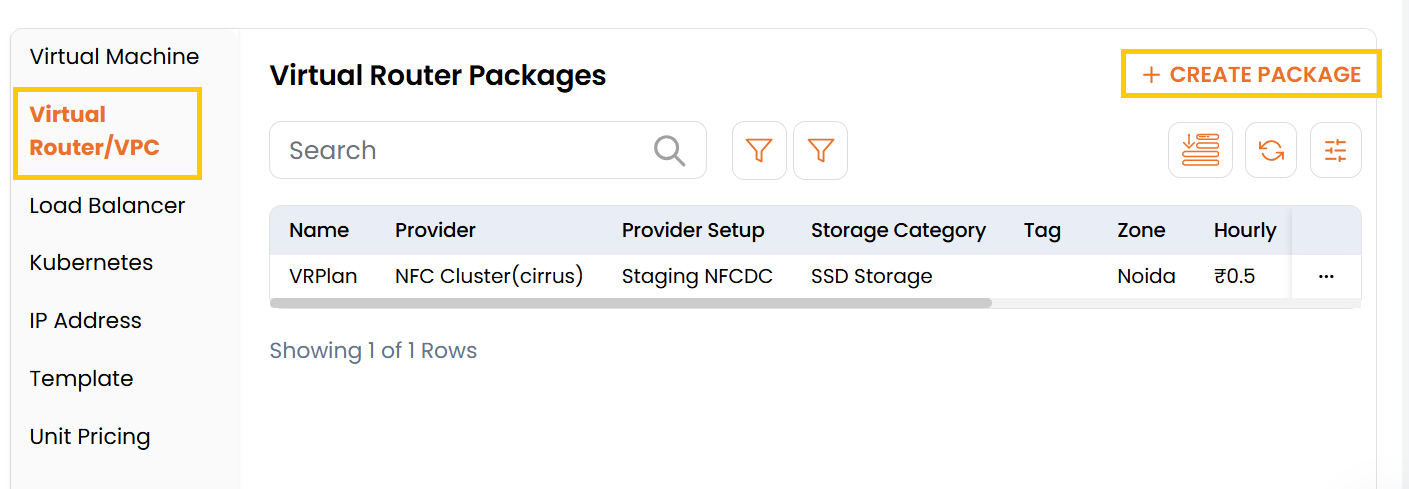
- From the left-hand side of the page under the Billing Setup section, click on Rate Cards to view the list of rate cards.
- To create rate card packages, click on three dots besides rate card and select Packages.
- Select Virtual Router/VPC to view the created packages and to create a new one click on Create Package.
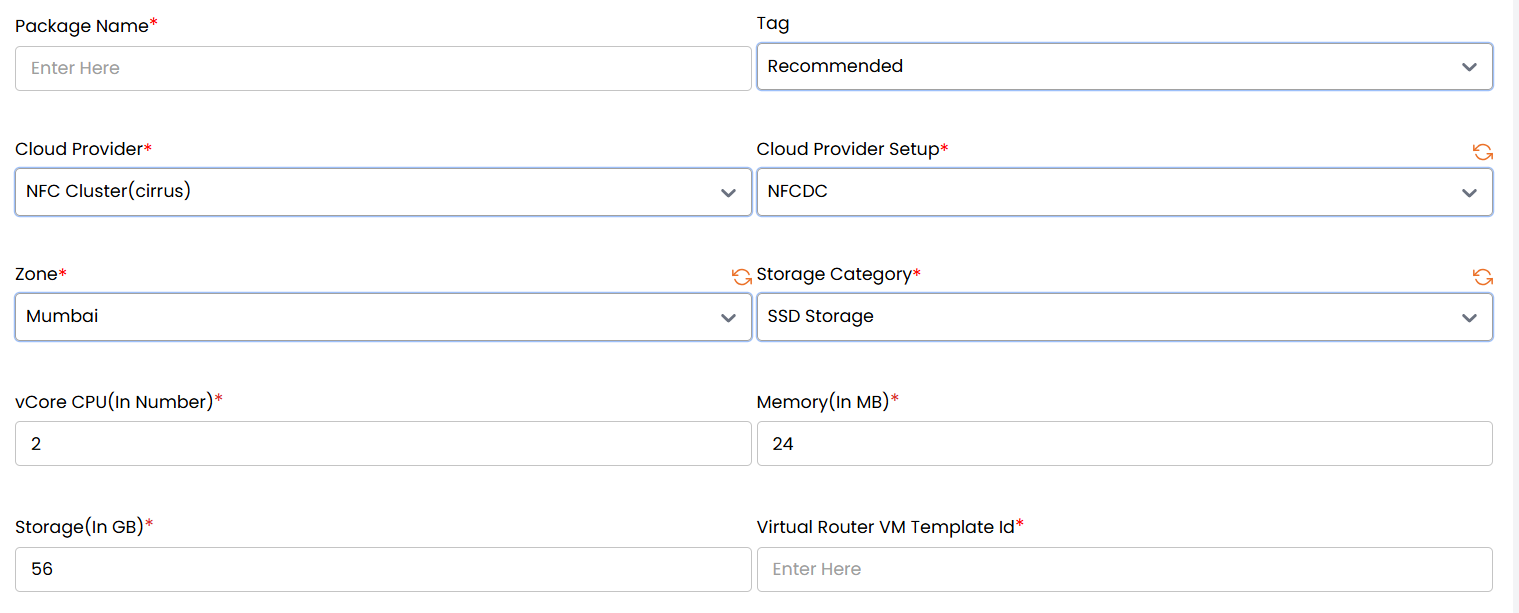
Virtual Router/VPC Configuration
- Package Name*: Enter a unique, identifiable name for the VPC/Router package.
- Tag: Use one or more of the following tags:
Recommended– Highlighted package chosen by admins based on popularity, balance, or value.Pocket Friendly– Cost-effective packages ideal for budget-conscious users.Top Selling– Most frequently selected by users; high-demand offering.Free Trial– Includes a limited free usage period for evaluation purposes.
- Cloud Provider*: Choose the cloud provider where the VPC/Router will be hosted.
- Cloud Provider Setup*: Select the specific setup or configuration (such as credential profile).
- Zone*: Specify the geographic zone or availability region for the package.
- Storage Category*: Choose the storage type.
- vCore CPU (In Number)*: Enter the number of virtual CPUs to allocate.
- Memory (In MB)*: Specify RAM in megabytes.
- Storage (In GB)*: Specify disk storage space in gigabytes.
- Virtual Router VM Template Id*: Provide the template ID to be used for deploying the virtual router VM.
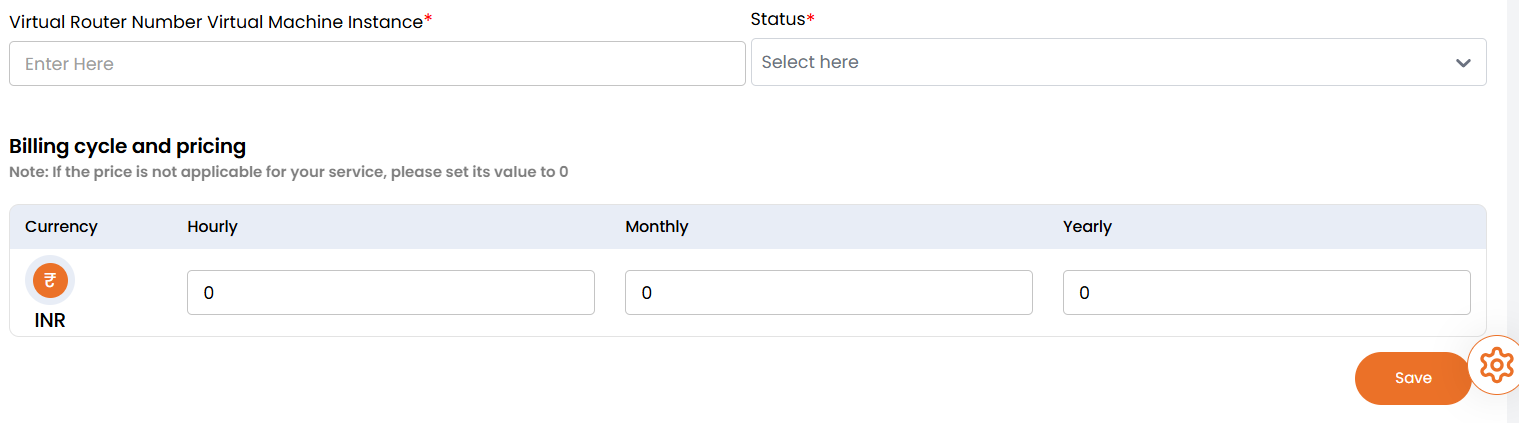
- Virtual Router Number Virtual Machine Instance*: Specify the number of VM instances to be created for the virtual router.
- Status*: Set the package as Active or Inactive.
- Billing cycle and pricing: Set the price based on the selected currency and billing duration.
Note: If the price is not applicable for your service, please set its value to 0.- Currency: Choose the billing currency (e.g., INR, TRY).
- Hourly / Monthly / Yearly: Specify cost for each billing cycle.
note
Leave OTC field empty if not applicable.
Once all fields are completed, click Save to create and activate the Virtual Router/VPC Package.
Conclusion
The Virtual Router/VPC Package section provides flexible network configurations for isolated environments or tenant-based routing. By combining adjustable specs, pricing, and tagging, you can deliver tailored networking solutions for diverse customer needs.